Legal Content CMS
Content types for legal content:
- Law tracker
- WYSIWYG Tools
- Custom Tokens
- Creating redirects between pages
- Content management tags
- Legal content type
- Next generation content/COPE
- Portal main page content type
- Toolbox, Toolbox tools & Toolbox steps
- Lawyer Manuals
- Notification and Content Dashboards
- Legal content reporting
- Legal Content Volunteers Program
Known Workarounds
Redirect “Service unavailable”
If you get a fast loading “service unavailable” message this is usually a redirect issue. (this is different than the “temporarily unavailable” message
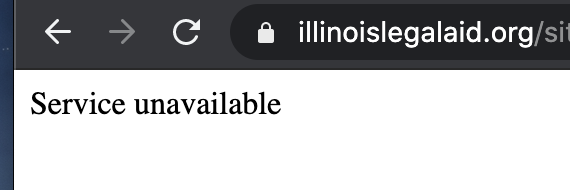
To fix:
Find the node that the url is supposed to be redirecting to
In that node, there is probably a redirect that matches the path alias for that page (for example, for node 30691 has a path alias of https://www.illinoislegalaid.org/legal-information/divorce; if it has a redirect from https://www.illinoislegalaid.org/legal-information/divorce to https://www.illinoislegalaid.org/legal-information/divorce or to /node/30691 this will create an endless loog)
Edit the redirect. You will probably get a message that an infinte loop will be created
Delete the redirect
Test the original url that had the error; it should work now
Node form is outdated or modified by someone else
This bug happens when a staff or intern leaves content in draft or ready to review mode and then someone tried to edit that node, an error

To resolve:
First, check that you don’t have multiple edit windows open. If you do, close them, and reload the edit form
If it still persists, check that no one else has the page open for editing
If that still doesn’t resolve it, check that the current publish status is draft/revise or ready to review. The only known workaround for this:
View the latest version
That page has a drop down to change the state
Set the state to published
You should be able to edit and save the node now
Note
This is a known bug that we are working on getting fixed.
See also: