Creating new docs in Github
Authorized users can create new documents in the documentation repository directly in GitHub:
Go to ilao-documentation/docs/source
Create a new file. New files should be named with a .rst extension and with a meaningful file name.
Save the file
In the file:
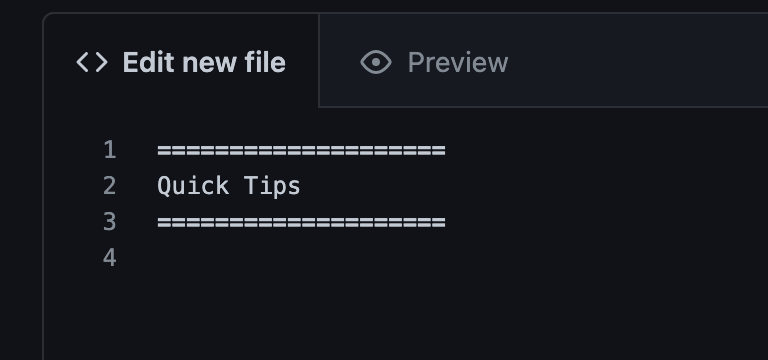
Create your title. Title blocks should be sandwiched between 2 rows of equal length equal signs. See below.
Add content
Commit your changes by adding a commit message
This will trigger a rebuild on readthedocs. This will take a few minutes to run.
A similar process applies for editing existing pages. Make your change, commit, and the documentation will rebuild automatically.
Heading styles
Headings can be added to a RST as follows:
Heading 1 is equal signs under the text
Heading 2 is dashes under the text
Heading 3 is ^ carots under the text
Bulleted lists
Warning
There must be a blank line at the start and end of each list.
Bulleted lists are added using astrerisks. Each level must be set off with a blank line and indented
* This is list one

  * Item A
  * Item B

* Next item

  * Item C
  * Item D
which will render as:
This is list one
Item A
Item B
Next item
Item C
Item D
Warning
Directives below must start at the far left margin.
Warnings, To-do and Notes
Warnings, to-do items, and notes can be added within the document using the appropriate directive.
.. warning:: This will show a warning

.. todo:: This will show a todo

.. note:: This is a note.
Images
Images can be inserted into a page by adding the image to the assets directory and then adding an image directive to the page.
Create your image elsewhere. Save as a PNG file
Navigate to ilao-documentation/docs/assets
Go to upload files and drag your images to the folder.
Commit your changes by adding a description why.
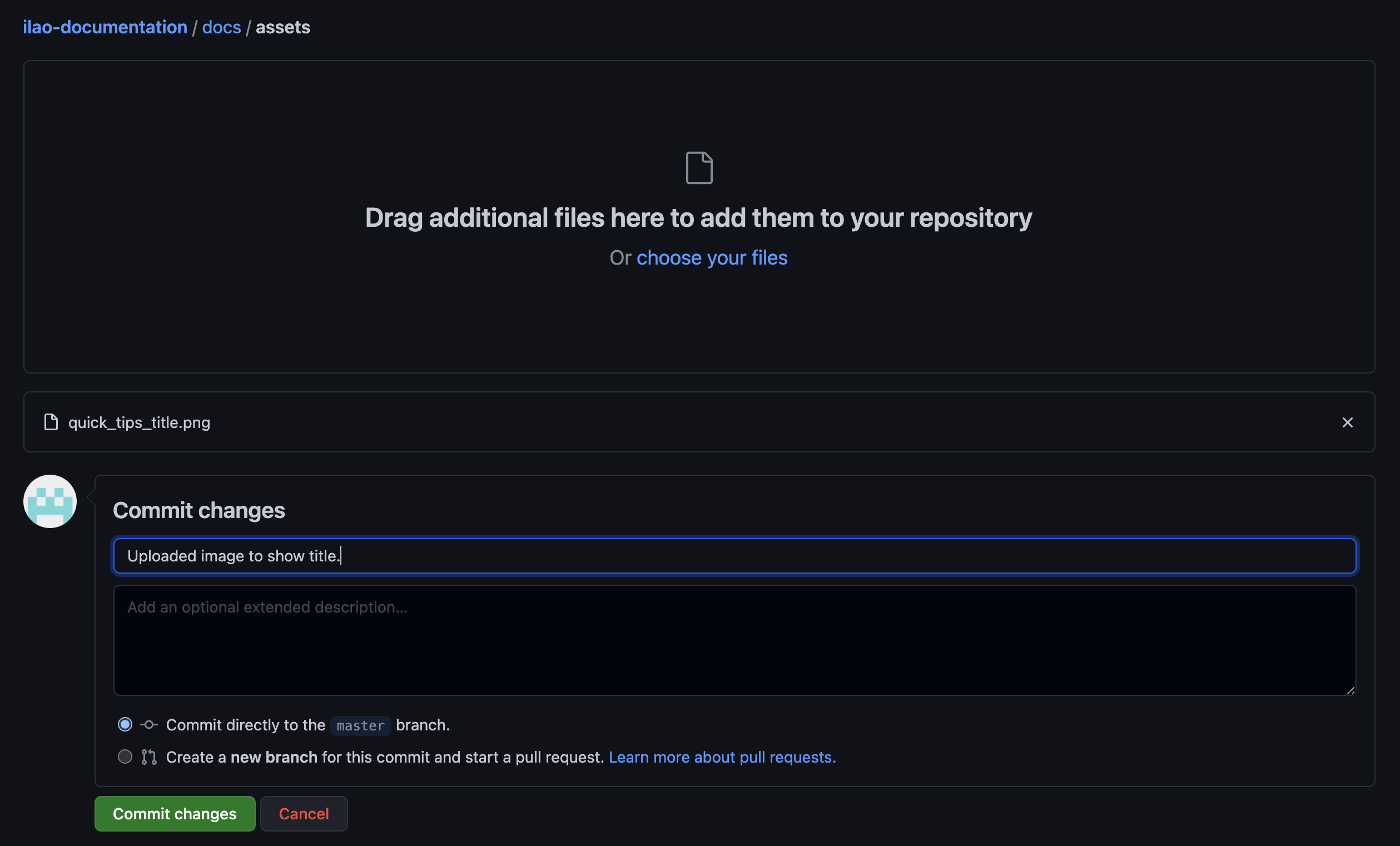
Then, in the rst file, add an image directive:
2 dots, space, the word image,2 colons, space 2 dots backslash, the word assets, backslash, the file name
.. image:: ../assets/adding-image-github.png
Table of contents
If you are creating a new major section, you may want to add a table of contents. Maxdepth indicates the number of levels of headings to show. Ideally, this is one or two.
.. toctree::
:maxdepth: 2
:caption: Contents:

design_guide
block_management
people_management
Code blocks
Code blocks can be added in multiple languages: PHP, JSON, javascript, html
.. code:: language
<p>This is some html</p>