Discussion groups
Discussion groups are managed through Groups in Google. Substantive groups are managed by the respective content manager.
Note
Group urls are formatted as https://groups.google.com/a/illinoislegalaid.org/g/[group name]
Setting up a Google group
Enter the group info:
Enter the group name; by default this gets appended to @illinoislegalaid.org to become the group email list name. This can be overridden in the Group email address field; Review and edit if needed the group email address. This email address must be unique to the IllinoisLegalAid.org domain.
Enter an optional description
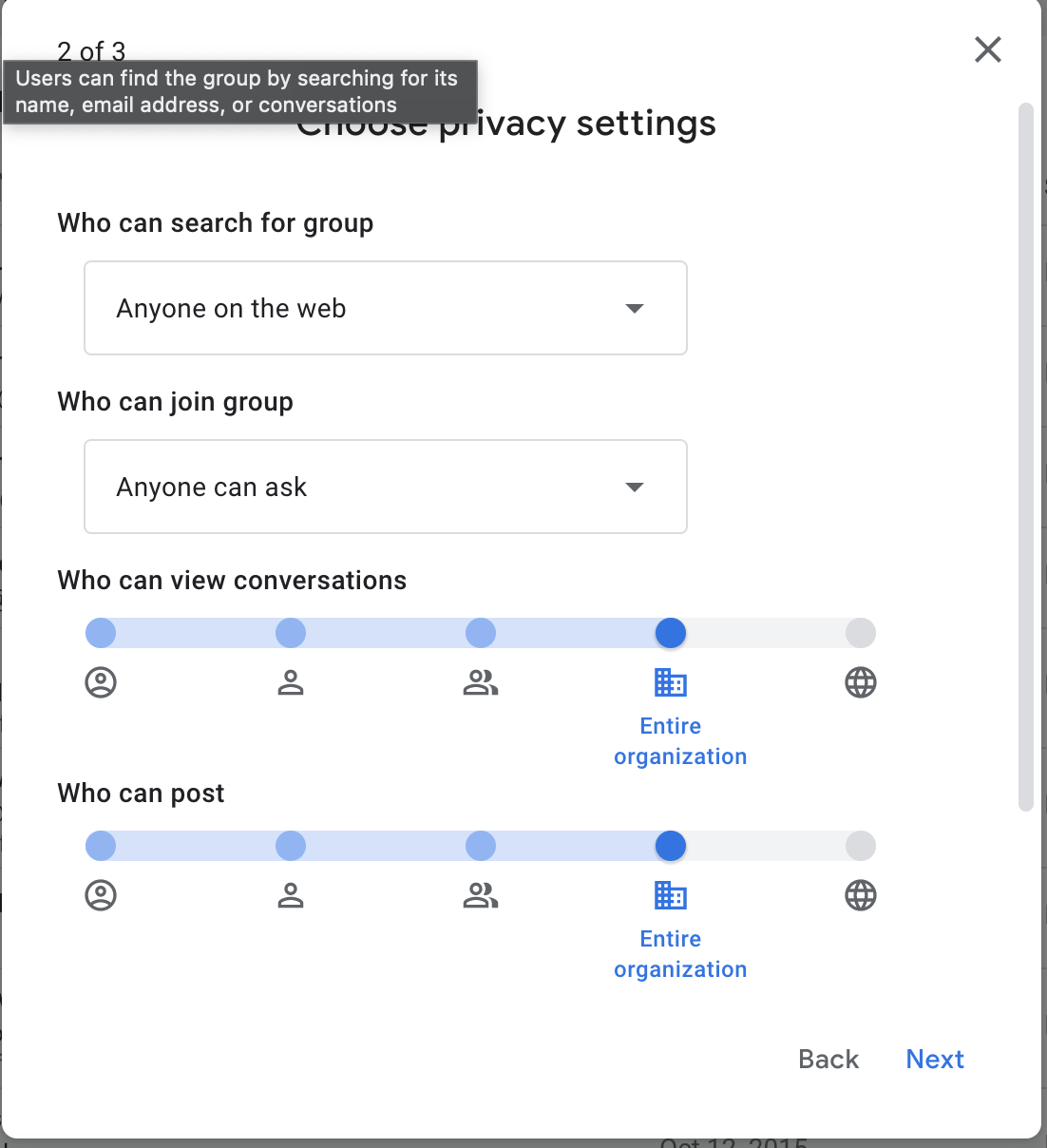
Set the privacy settings. Privacy settings should be set to:
Anyone on the web can search for the group
Anyone can ask to join
Who can view should be set to organization.
Who can post should be set to organization
Add initial members
At least one staff member should have the Group owners role.
The facilitator should have the group member role
All other members should have the group member role
Add a welcome message
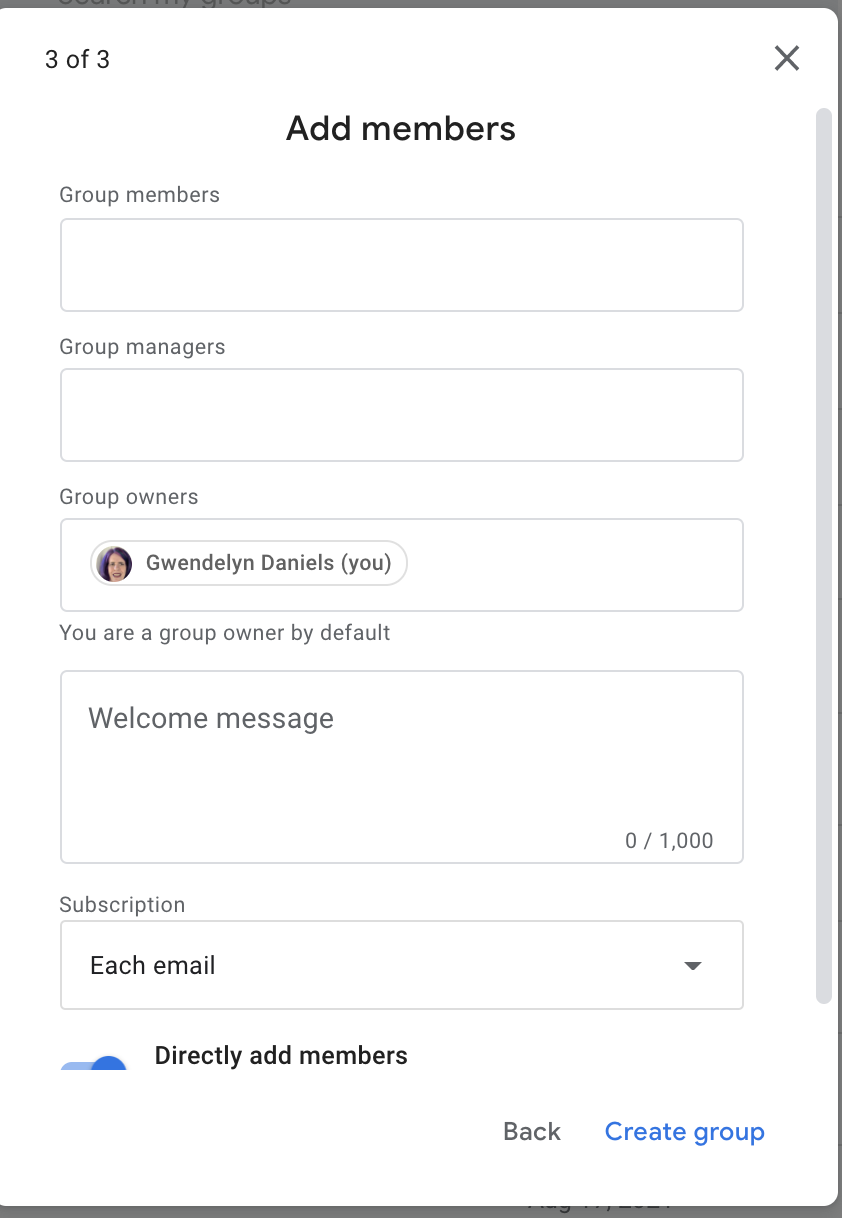
Click create group
Configuring a Google group
Once a group is created, there are other settings that should be configured. Go to the group and go to Group Settings and then to Email Options. Under email options:
Set the subject prefix. This should be formatted as [group name]. For example [HousingLaw] or [Foreclosure]
Ensure a footer is selected. You should always include the default footer but may also add a custom footer.
Managing Members
Group managers and owners will be notified when someone uses the Google group to request to join. To approve or deny:
Go to the group page on Google Groups
Click on the People section (if collapsed)
Click on Pending members
Approve or deny the request
Warning
Users should be approved only if they are employees of a legal aid organization. An exception exists on some lists for grantees of particular funders. Check with Gwen or Teri if you are unsure if someone should be approved.
Users without a Google account will create a Zendesk support ticket from the Contact US page to join a listserv. These will be added to the content team Jira board to be resolved by a content team member. To add a member:
Go to the group page on Google Groups
Click on the People section (if collapsed)
Click on Add member
Add the email address of any new member(s) in the group section
On Our Website
Information for discussion groups should be added to the Discussion Groups page linked to under For Legal Professionals. For each group, it should contain:
The email address to send messages to in the “How discussion groups work” section
The name of the group (for example Foreclosure discussion group), linked to the landing page on Google groups
The name, job title, organization and email address of the facilitator