ILAO

Contents:

  • Design & Style Guide
  • Custom blocks
  • User Management
  • Browsing to legal information
  • Legal Content CMS
  • Next generation content/COPE
  • Basic pages
  • Testimonials Content Type
  • Webforms
  • Translation Management
  • Calendar
  • Job Listings
  • Discussion groups
  • Get Legal Help
  • Helpful Organizations
  • Site Search
    • Google custom site search
    • General search configuration
    • Search promotions
    • Synonyms
    • Custom autcomplete
    • Configuration
    • Indexing and Updates
    • Manipulating Search
      • Synonyms
        • Replacing a search term
        • Add description terms to name
    • Using Site Search
  • Site FAQs
  • Other Website Features
  • Taxonomies
  • RSS Feeds
  • ILAO’s API
  • NextSteps Flows
  • SMS Overview
  • Data and Analytics

See also:

  • Creating new docs in Github
ILAO
  • Site Search
  • Manipulating Search
  • View page source

Manipulating Search

Synonyms

The search synonyms taxonomy allows us to:

  • Replace a search term with another search term

  • Expand a search term with additional search terms

The search synonym taxonomy:

  • The name is the search term as entered by the user

  • The description is what is used to replace or expand

  • The synonym type is either:

    • Replace name with description.

    • Add description terms to name.

Replacing a search term

This feature is helpful for misspellings. For example, a synonym of divrce with a description of divorce will result in the system searching just for divorce.

Add description terms to name

This feature is helpful for true synonyms. For example, adding weed as a synonym for cannabis with a type of “add description terms to name” will return content with either term.
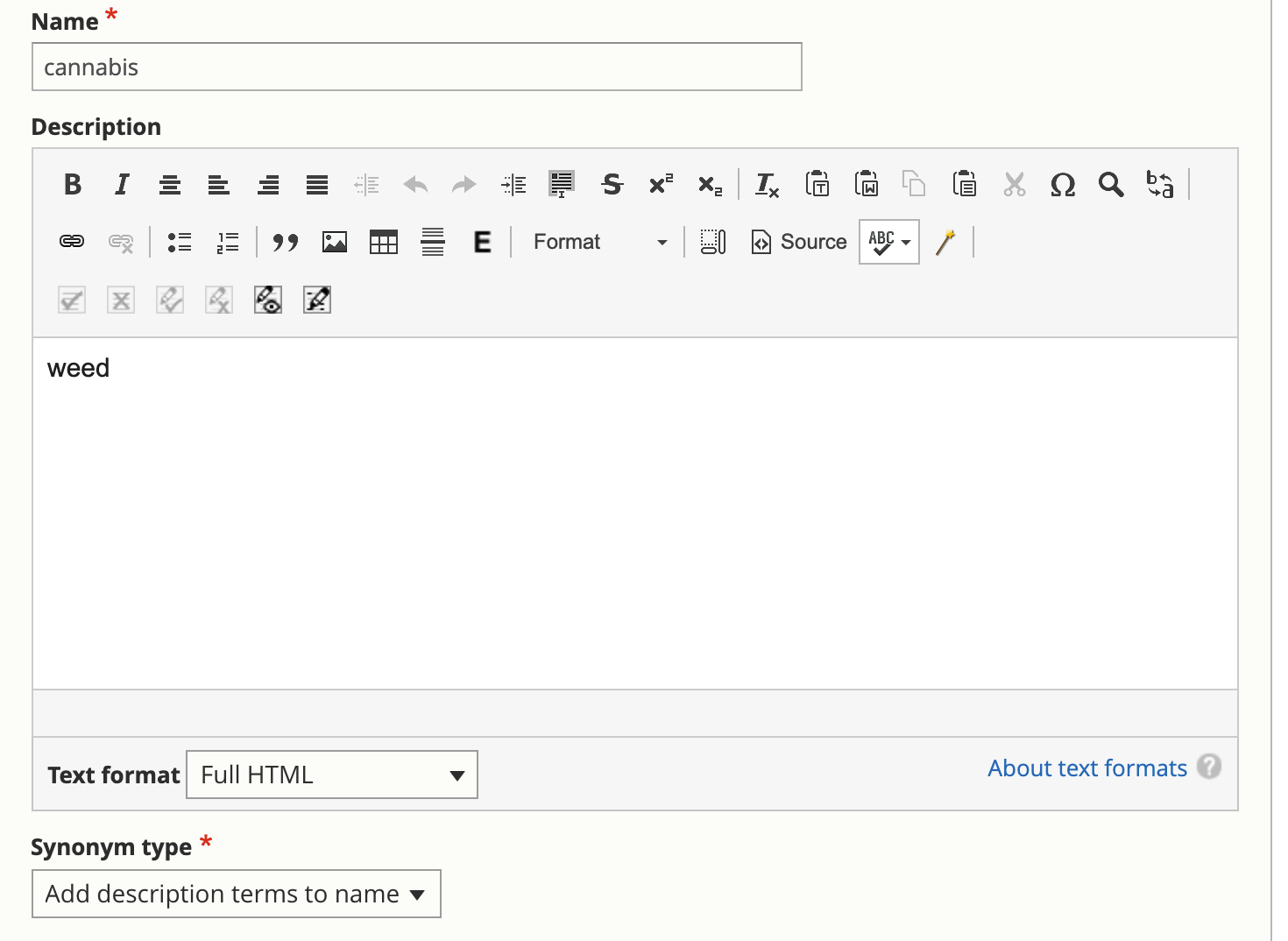
_images/cms-search-synonym-expand.png
Previous Next

© Copyright 2023, Illinois Legal Aid Online.

Built with Sphinx using a theme provided by Read the Docs.